Nativz
Meta Ads · Facebook and Instagram

Your Meta ads are built. Here is the plan for your approval.

A website campaign and an app campaign, five markets and five videos from the October 23 shoot. Everything is paused until you sign off on the ads, the targeting and the offer.
$4,000
Meta ad spend per month
About $130 a day
2
Funnels
Website bookings and app installs
5
Markets
A&M, Tech, Auburn, UTSA, Oklahoma
5
Video ads
Edited from the 10/23 shoot
01 / The funnel

One campaign for the website, one for the app.

Most of your bookings happen in the app and some on the website, so we run both. Each one is optimized for a different action and measured on its own.

CAMPAIGN 1 · WEBSITE

Jobs posted on the website

$80 / day
  • Meta shows the ads to the people most likely to post a job on sparehandstudents.com.
  • Every ad sends people to the website with a Book Now button.
  • Measured on jobs posted, with paid bookings and revenue behind them.
CAMPAIGN 2 · APP

New app installs

$50 / day
  • Split evenly between iPhone and Android, so each gets $25 a day.
  • Same videos, with copy that asks people to download the app.
  • AppsFlyer tracks each install through to sign-up, job posted and payment, so we can see which ads bring bookings.
02 / Markets and budget

Most of the budget goes to College Station.

College Station brings in about 80% of your revenue and posts the most jobs on the website: 11 of 27 between 10/30 and 11/5, with Lubbock next at 8. The four smaller markets share one ad set, so the budget is not split too thin and Meta has enough data to learn from.

CampaignAd setMarketsPer dayPer month (approx.)
WebsiteTexas A&MCollege Station and Bryan, TX$50$1,520
WebsiteOther marketsLubbock, Auburn, San Antonio and Norman$30$910
AppiPhoneCollege Station and Lubbock$25$760
AppAndroidCollege Station and Lubbock$25$760
Total$130About $3,950

Monthly amounts are approximate: Meta can spend a little more or less on any given day, and it evens out over the month. The app campaign starts in the two markets with the most jobs. If it runs across all five, Meta would chase the cheapest installs, most likely in San Antonio as the biggest city, instead of where your bookings come from. Once we see cost per booking, budget moves toward whatever works, always with your OK.

03 / Who sees the ads

Homeowners near each campus, not students.

04 / The ads

Five services, five videos.

Each video promotes one service, so we can report cost per job by service as well as by market. All five run in every market. The copy below is the website version. Tap a preview to see the ad as it appears on Facebook and Instagram.

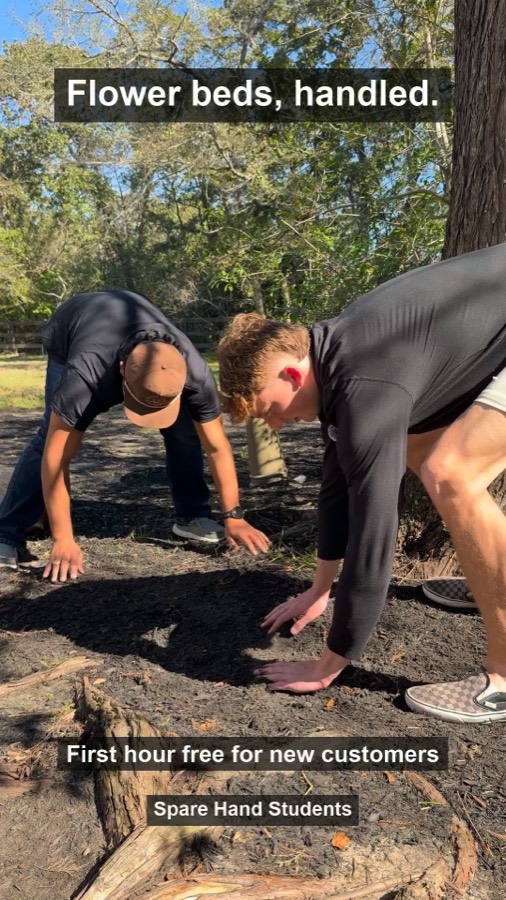
Flower Beds, Handled ad

Flower Beds, Handled

Mulch day takes a whole day. Skip it. 🌿 A local student can spread mulch and refresh your flower beds while you do something better with your weekend. 🏡 New customers get the first hour free. 🎉 Book your help in minutes.
Button: Book Now (website) · Install Now (app)
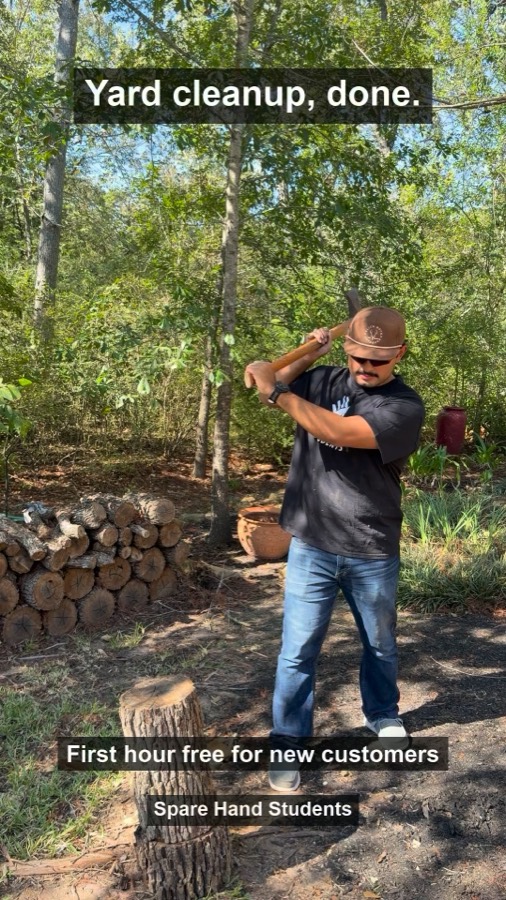
Yard Cleanup, Done ad

Yard Cleanup, Done

Firewood, branches, the yard cleanup you keep putting off. 🪓 A Spare Hand student can chop, stack and tidy up so the yard looks right again. 🌳 Your first hour is free if you are new to Spare Hand. 🎉 Book in minutes.
Button: Book Now (website) · Install Now (app)
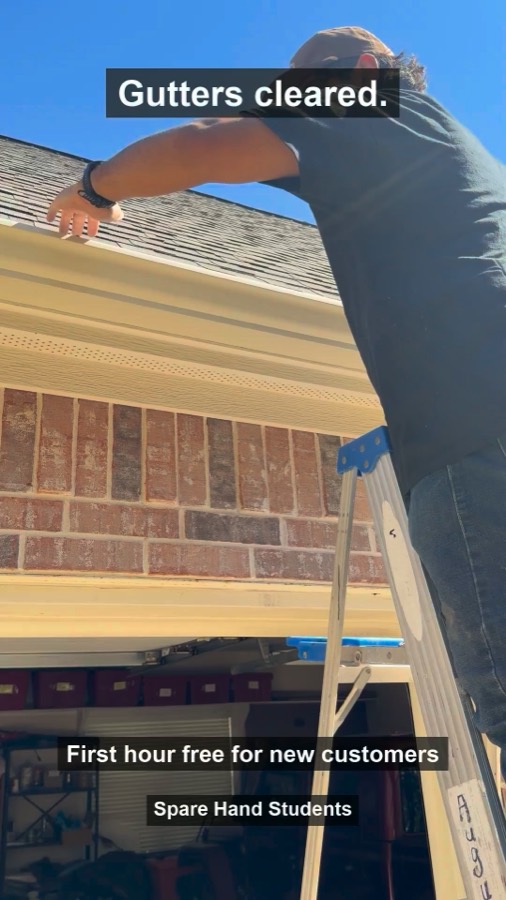
Gutters Cleared Fast ad

Gutters Cleared Fast

Clogged gutters are a fall chore nobody loves. 🍂 Book a local student to clear them and keep the water flowing. 🏠 New customers get the first hour free. 🎉 Book in minutes.
Button: Book Now (website) · Install Now (app)
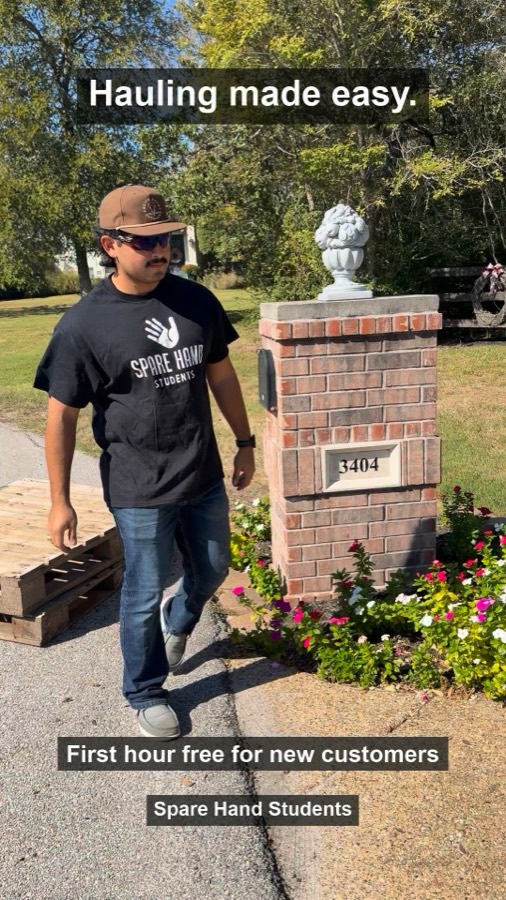
Hauling Made Easy ad

Hauling Made Easy

Old pallets, yard junk, the pile by the garage. 🚚 A local Spare Hand student can haul it away so you get your space back. 🧺 New customers get the first hour free. 🎉 Book your haul today.
Button: Book Now (website) · Install Now (app)
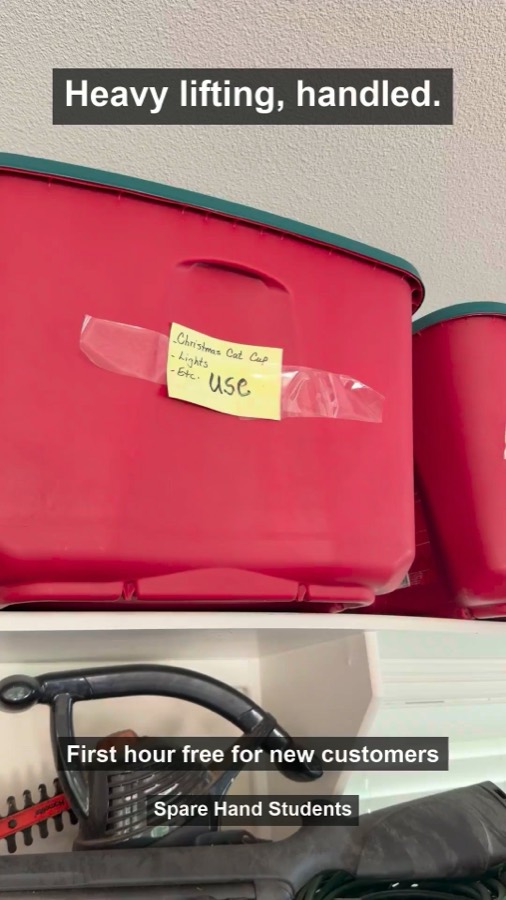
Heavy Lifting, Handled ad

Heavy Lifting, Handled

Those heavy bins on the top shelf are not getting lighter. 💪 A local student can lift and carry bins, boxes and heavy items around your home. 📦 New customers get the first hour free. 🎉 Book your help in minutes.
Button: Book Now (website) · Install Now (app)

Furniture assembly, home cleaning and mowing are not in this round, because the shoot did not include them. They go in as soon as we have photos or footage.

05 / What to expect

The first month sets the baseline.

The account has no paid history, so the first weeks show what a new customer costs in each market and for each service.

WEEKS 1 TO 2

Learning

Meta tests who responds. Cost per job moves around a lot from day to day, so we don't make changes based on it yet.

WEEKS 3 TO 4

First read

Cost per job and per booking by market and by ad. We keep the winners and move budget toward the markets that book.

MONTH 2

Build on it

Retargeting for site visitors, new ads for the services not covered yet, and the new formats (before and after transformations, customer testimonials).

06 / What we need from you

Five things before we turn it on.

  1. Approve the 5 ads above, or tell us what to change.
  2. Confirm the targeting: ages 25 to 65 and 15 miles around each campus.
  3. Confirm the offer: "New customers get the first hour free". Let us know if any terms need to go in the ad.
  4. Gutters: confirm gutter cleaning is a service you offer, or we pull that ad.
  5. Customer list: a CSV of current customers' emails and phone numbers, so they don't see the new-customer offer.
Next step

Reply with your OK and we launch.

Approve everything at once, or use the buttons on each ad above. As soon as we have the five items, we turn it on.